
GoHighLevel Workflow Builder for Contractors: A Step-by-Step Setup
The pipeline and follow-up we run for Good People Roofing, broken into steps you can build in GoHighLevel this week, plus the places we had to go custom.
A contractor should build the GoHighLevel workflow around verifiable sales events: create the opportunity when a consented form arrives, notify the assigned rep, send the first acknowledgement, move the card only when a real event occurs, and stop follow-up when the homeowner replies or signs. Use an outbound webhook when estimating, measurement, or proposal logic belongs in a separate operational tool.
- Build the pipeline before any workflow. Stages should match how a roof actually sells: new lead, measured, inspected, proposal sent, signed, scheduled.
- The workflow builder is enough for intake, stage moves, rep reminders and a timed nudge sequence that stops on signature.
- It cannot measure a roof, price three packages from your formula, or know how many times a homeowner opened a proposal. For Good People Roofing we built that outside GoHighLevel and handed leads across with a webhook.
What the GoHighLevel workflow builder actually does
The workflow builder is GoHighLevel's automation layer. You pick a trigger (a form submitted, a contact moved to a stage, an appointment booked) and chain actions after it: send an SMS or email, wait, branch on a condition, move the opportunity, notify a rep. That is the whole model, and for a contractor it covers more than most people ever use.
Before we built anything for Good People Roofing, leads lived in text threads, proposals were typed over days, and follow-up ran from memory. The workflow builder fixes the third problem on its own. It does not fix the first two, and that is the point of this guide.
Step 1: Build the pipeline before any workflow
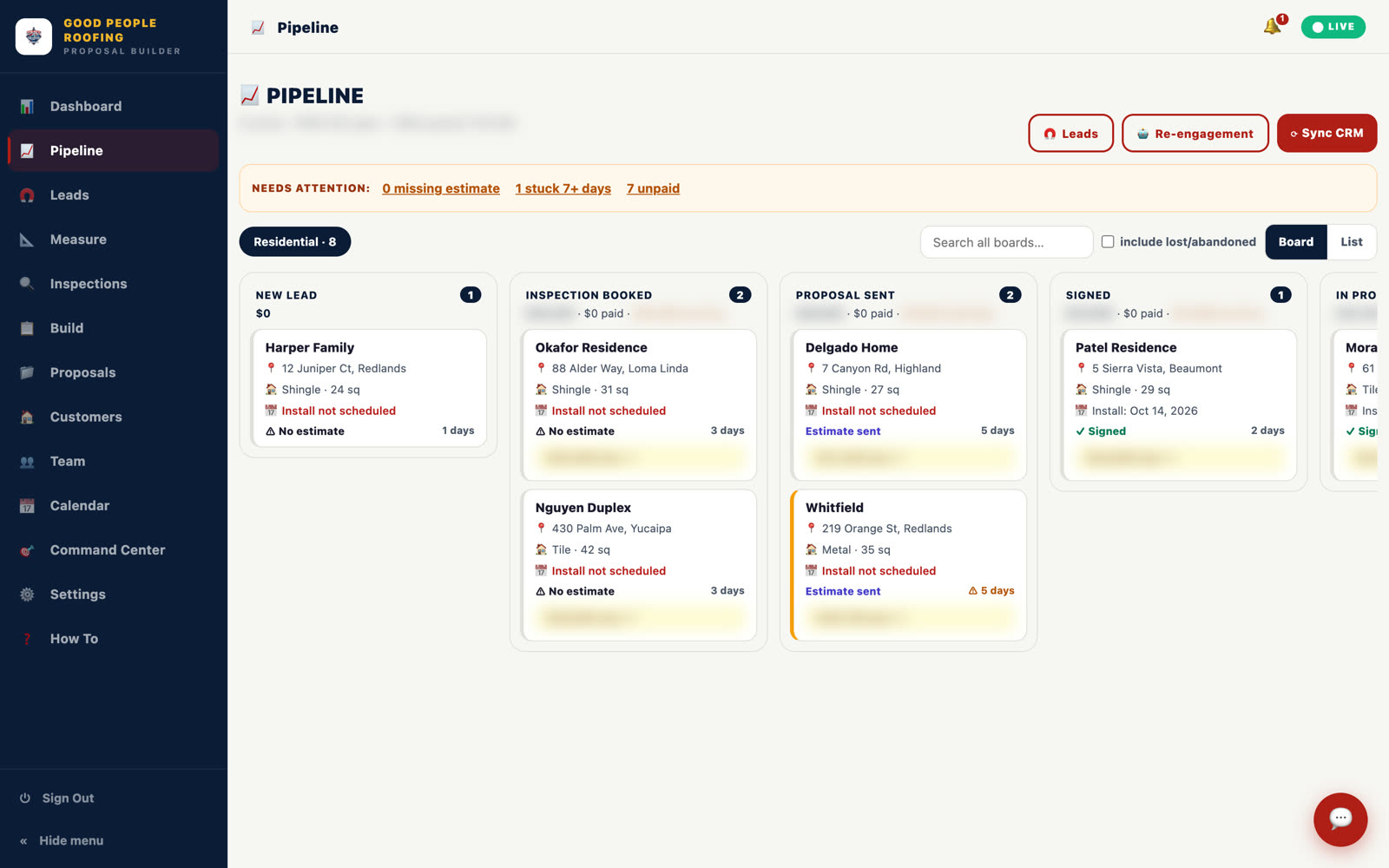
A workflow is only as good as the stages it moves contacts between, so set up the pipeline first and make every stage a real event in the sale. For a roofer, the stages that hold up are new lead, measured, inspected, proposal sent, viewed, signed, scheduled, and lost.
The mistake we see most is stages named after feelings, like warm or hot. Nobody can automate a feeling. A stage named proposal sent can be entered by a system when the proposal goes out and left by a system when the signature lands. That is what lets the automation run without a person babysitting the board.
- One pipeline per sales motion. Retail roofing and insurance work do not share stages.
- Name the stage after the event that proves it happened.
- Decide, per stage, who moves the card: rep or system. Write it down before you build.
Step 2: Wire intake so the rep never re-types a lead
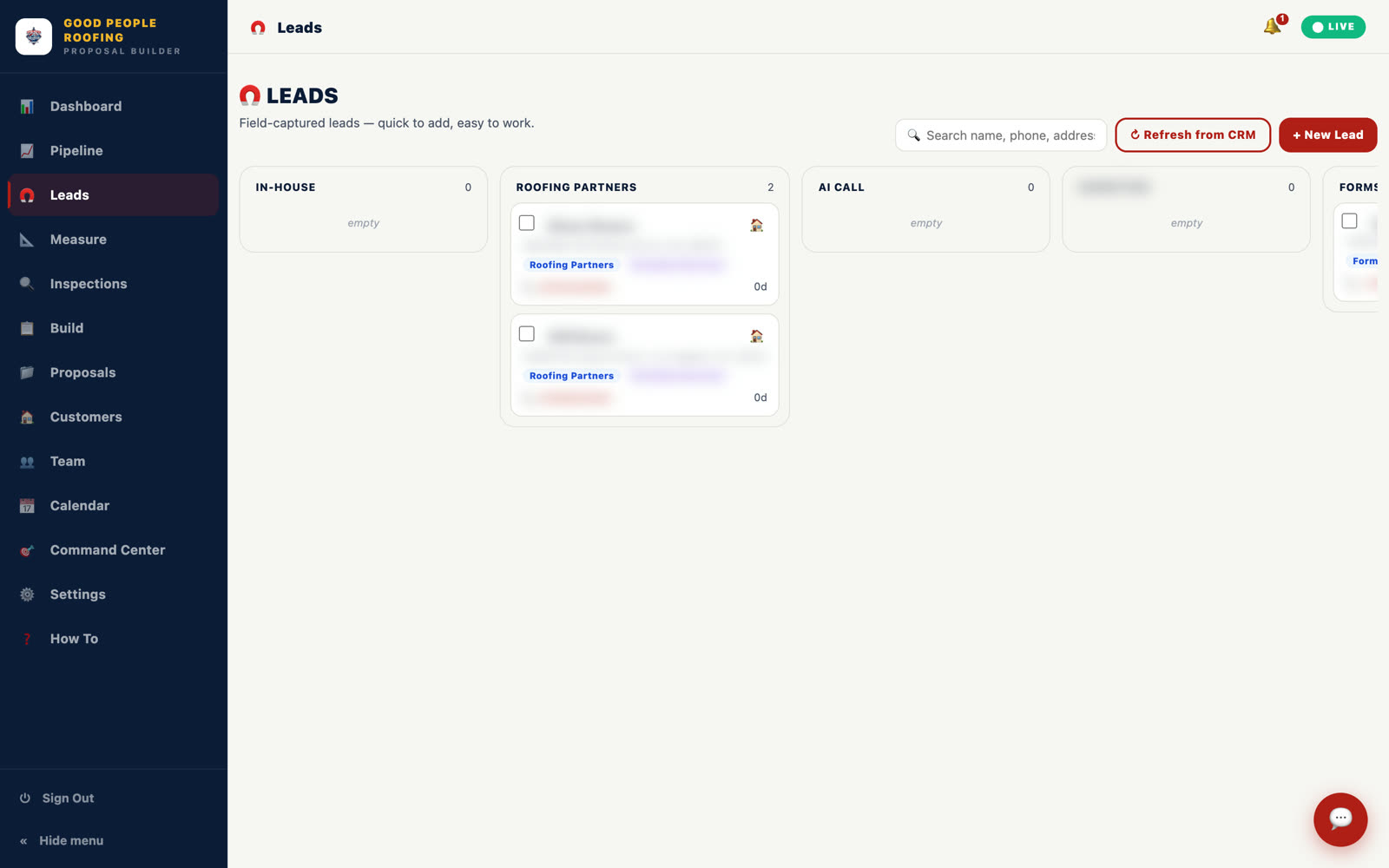
Intake is the first place the workflow builder earns its keep. Trigger on the form submission from your ads or website, create the opportunity in the new lead stage, and fire a webhook that hands the lead to whatever the rep works in next.
For Good People Roofing, a new lead from the company's ads or site lands straight in the proposal builder through a CRM webhook, with name, phone and address pre-filled. The rep is one tap from measuring the roof. Before that, every lead was re-typed by hand.
Step 3: Build the 14-day nudge that stops the moment someone signs
The follow-up workflow triggers when the opportunity enters proposal sent, sends a mix of SMS and email over 14 days, and removes the contact the instant the stage changes to signed. That one exit rule is what makes it safe to run unattended.
This is the behaviour we run for Good People Roofing: unsigned proposals get nudged automatically for 14 days and stop the moment someone signs. The stop is not a courtesy. A homeowner who signed on Tuesday and gets a still-thinking-it-over text on Thursday calls the office, and the automation has cost you a call instead of saving one.
- Remove the contact from the workflow on stage change, and test it by moving a test card by hand.
- Vary the channel. Two texts and one email across two weeks beats seven texts.
- Every message carries the proposal link. The homeowner should never have to search for it.
- Add a rep task on day 7 and day 14. Automation nudges. A person closes.
Configuration checklist before you publish
- Trigger filters: limit enrollment to the correct form, pipeline and opportunity status. A broad trigger is how old contacts receive a new-lead message.
- Consent gate: enroll only contacts whose source and timestamp prove they agreed to the message type you are sending.
- Stop On Response: enable it for nurture messages so the specific contact leaves the workflow when they reply.
- Allow Re-entry: leave it off for one-time lead intake unless a repeat request should create a genuinely new journey.
- Time window: restrict non-urgent messages to the business's operating hours and correct account timezone.
- Test path: run one test contact through every branch, reply to the text, move the opportunity to signed, then inspect enrollment history and execution logs.
Where the workflow builder was not enough
GoHighLevel cannot measure a roof from an address, cannot price three packages from your own formula, and does not know how many times a homeowner opened a proposal. Those three gaps are why the Good People Roofing build is custom software with GoHighLevel alongside it, not a GoHighLevel snapshot.
We are not knocking the tool. It was never meant to trace roof facets on satellite imagery or run a live pricing formula. So we built those pieces as their own app with the webhook as the handoff, the pattern on our process automation software page.
| Task | Workflow builder | What we built |
|---|---|---|
| Measure the roof | No | Type an address and the roof is traced on live satellite imagery, pitch and squares computed and editable. Seconds from the truck instead of an hour on a ladder. |
| Build the proposal | Templates only, no pricing logic | One click drafts a cover letter and three packages, Essential, Performance and Signature, priced live by the company's own formula. Was two to three days of typing. |
| Know a proposal was opened | Email open tracking only | A tracked proposal database: draft, viewed, accepted, expired, with how many times the homeowner opened it. |
| Nudge unsigned proposals | Yes | The workflow builder, with the stop-on-sign rule above. |
| Collect the signature | Documents feature, separate setup | Pick a package, draw a signature with a finger, in English or Spanish. Same day instead of a week of chasing. |
Step 4: Make the pipeline tell you who is winning
Once stages are events and workflows move the cards, the pipeline becomes a scoreboard you can trust. Report proposals sent, viewed, closed, accept rate, average ticket and close time per rep, over any window, and you stop guessing who needs help.
GoHighLevel's native reporting covers part of this. For Good People Roofing we built a live leaderboard with those exact columns because the owner wanted them per rep, per window, without asking anyone. Built-in or custom, the rule is the same: if a number cannot be produced by a stage change, you are not tracking it, you are estimating it. For the roofing-specific version, see what we build for roofing contractors and the instant proposal flow.
The pipeline, intake and the 14-day nudge, yes. Roof measurement, formula-priced packages and open tracking need custom software. Start with the builder and add custom pieces when the manual step costs you deals.
Make the signed stage change the exit condition of the follow-up workflow, then test it by moving a card by hand. If the test contact still gets a message, nothing else matters until that is fixed.
In its own app, with GoHighLevel as the CRM. For Good People Roofing that app is the proposal builder at app.goodpeopleroof.ing. Leads flow in through the webhook and the rep works from there.
Want this built for your operation?
Walk us through how a lead moves through your company today, from the first text to the signed roof. We will show you which steps belong in the workflow builder and which ones need software of their own.
Book a Process Automation Audit →