An outbound machine
that runs itself. And the
cockpit to steer it.
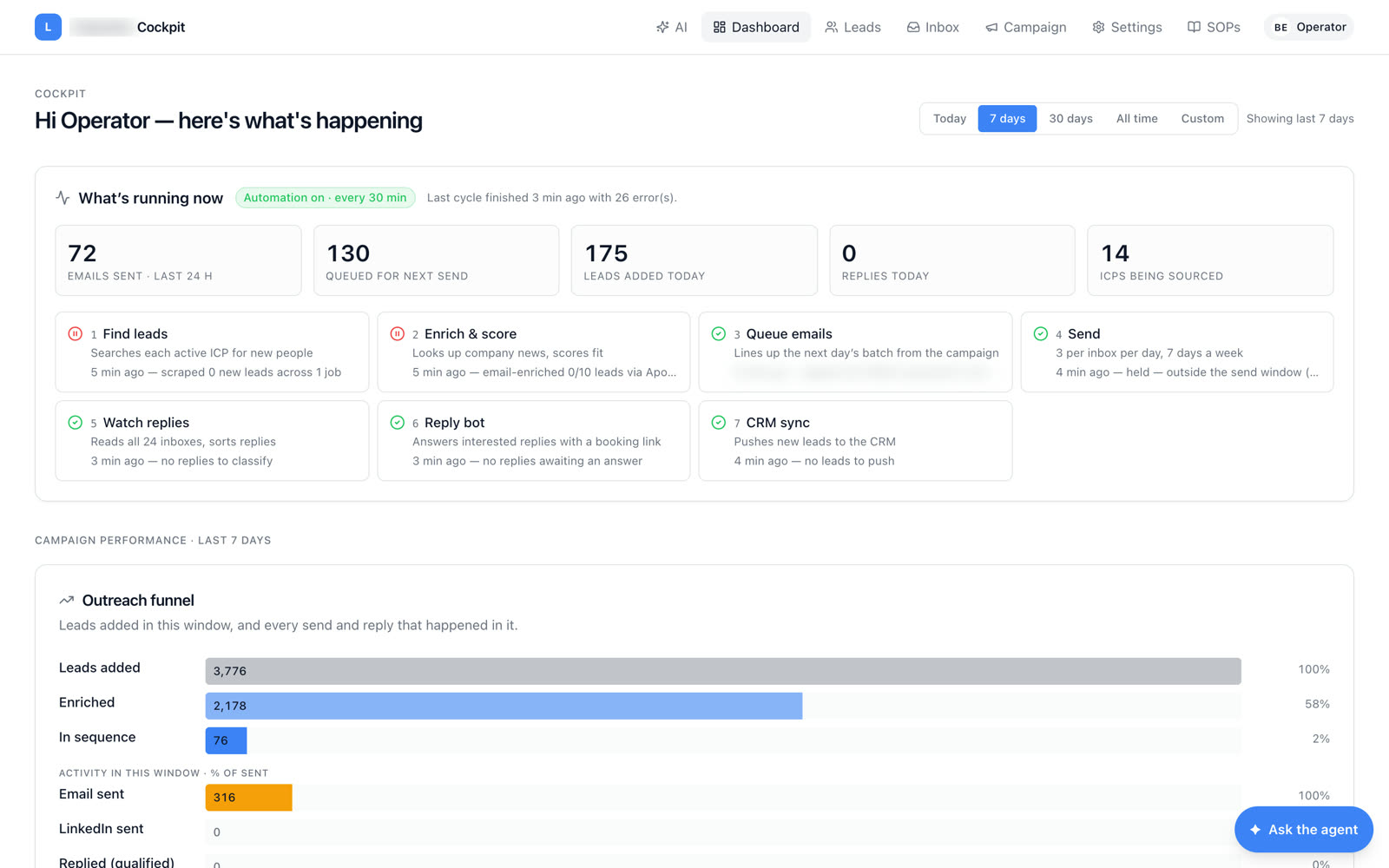
LifeGuides needed outbound at a scale no SDR team could run by hand. ParaWav built a loop that finds leads for each ideal customer profile, enriches and scores them, queues the day's batch, sends through 24 warmed inboxes, watches every reply, answers the interested ones with a booking link and syncs the CRM — every thirty minutes — and a cockpit where one operator describes who to reach in plain language and approves what goes out.
Real product · October 2026 · every lead, company, person and figure blurred
ICPs in a doc. Leads in a spreadsheet. Sends by hand, replies missed.
Then the loop
ran itself.
Every control the operator
needs, one screen each.
Dashboard, ICPs and sources, leads, pipeline, the outbound queue, email sequences, the LinkedIn review lane, the inbox and an agent you can ask — a cockpit, not a CRM.
Seven steps,
every thirty minutes.
Find leads for every active ICP, enrich and score them against the brief, queue the next day's batch, send three per inbox per day inside the send window, read all 24 inboxes and sort the replies, answer interested leads with a booking link, push new leads to the CRM. Each step reports when it last ran and what it did, so the operator reads the machine at a glance.
Was a to-do list for a human → now a loop that reports on itselfDescribe who you want.
The loop goes and finds them.
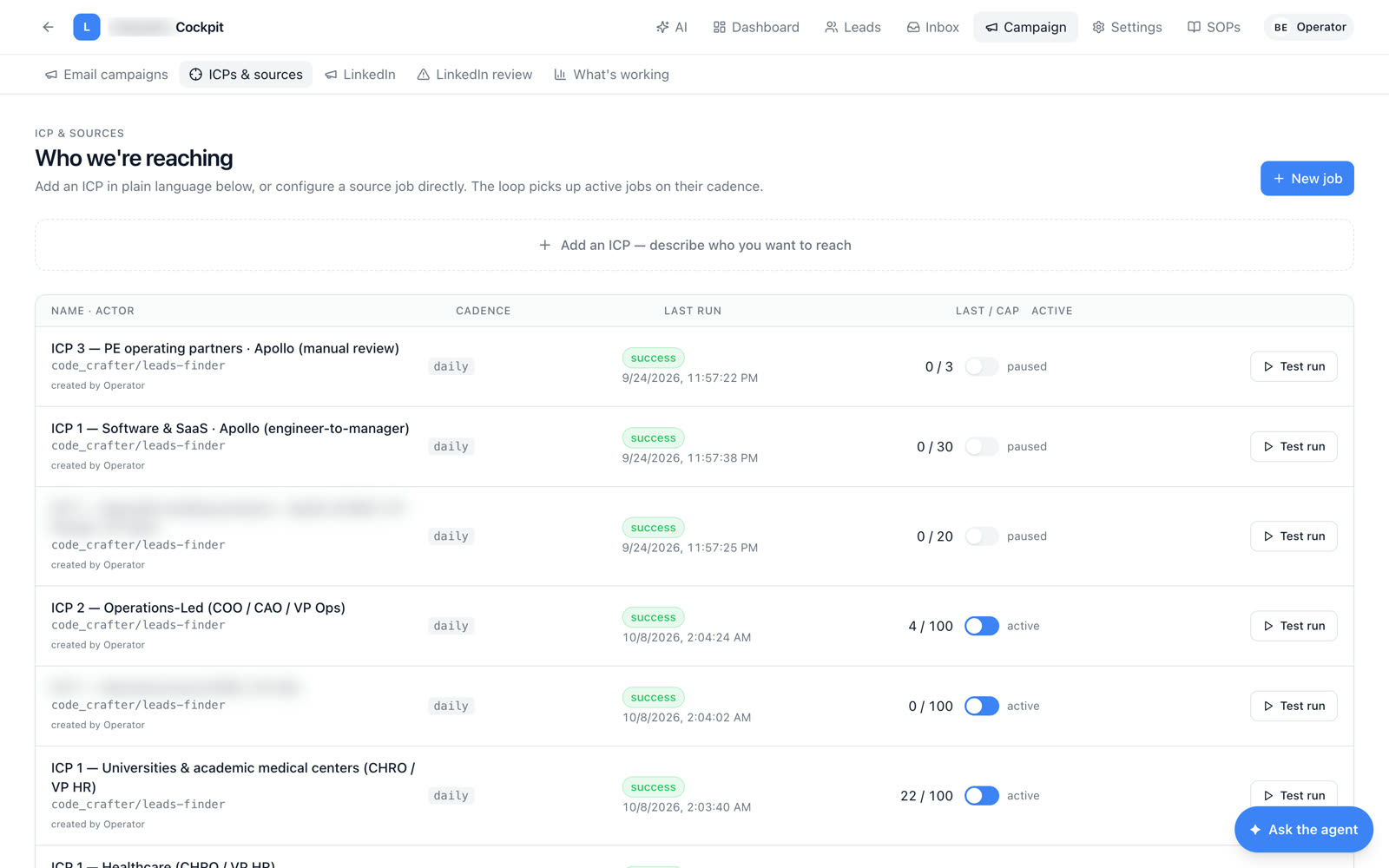
An ideal customer profile is typed as a sentence — a title, an industry, a size — and becomes a source job with a cadence and a daily cap. Pause it, test-run it, or add another. Fourteen ICPs were being sourced on the day of capture.
Was a list-building vendor → now an ICP typed in a box7,486 leads.
Each in exactly one stage.
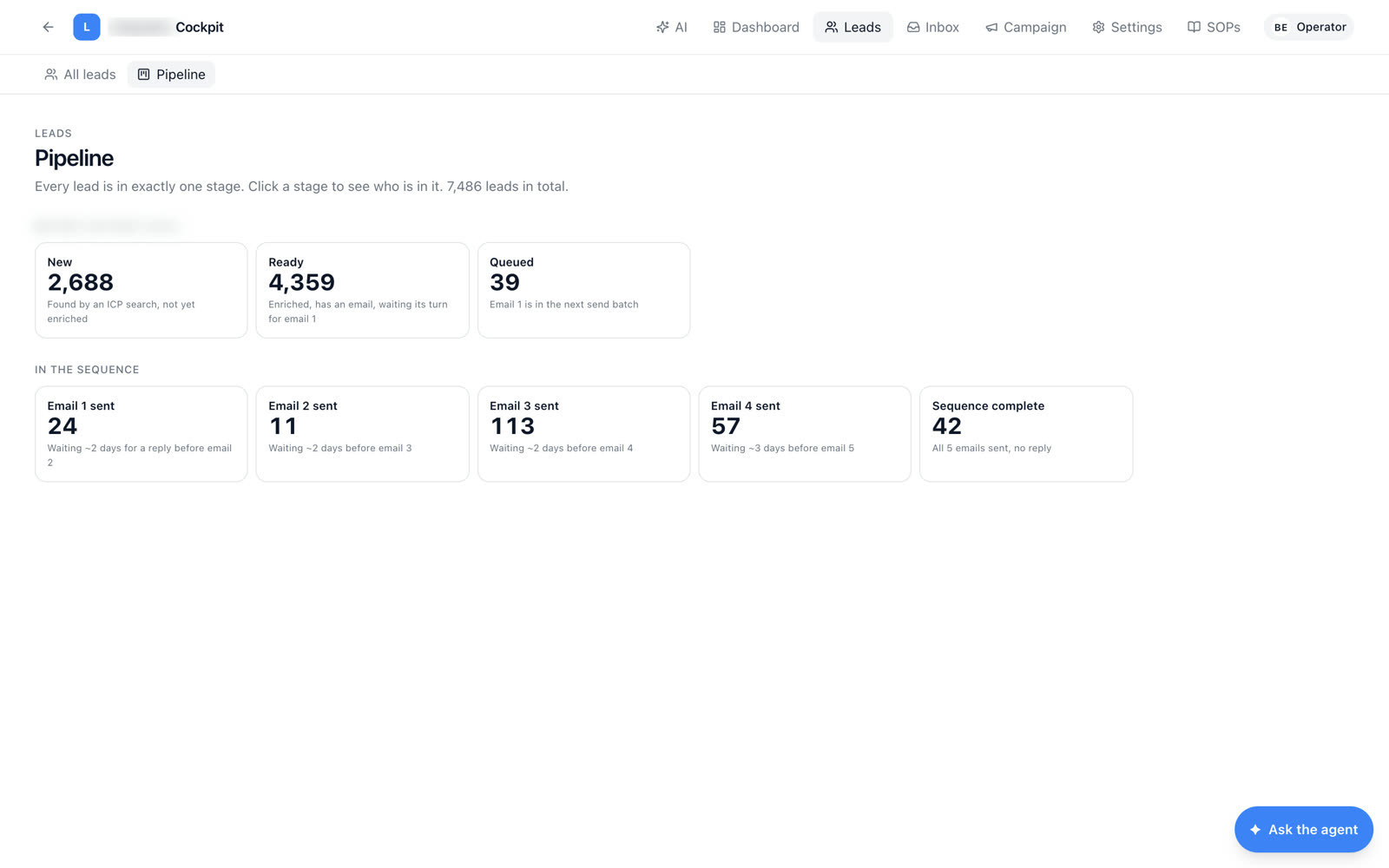
New, ready, queued, email one through four sent, sequence complete — every lead sits in one stage and the counts add up. Click a stage to see who is in it. The pipeline is the system's own state, not a report someone maintains.
Was a spreadsheet of statuses → now a pipeline the loop keeps trueWho is in the book,
and who has been emailed.
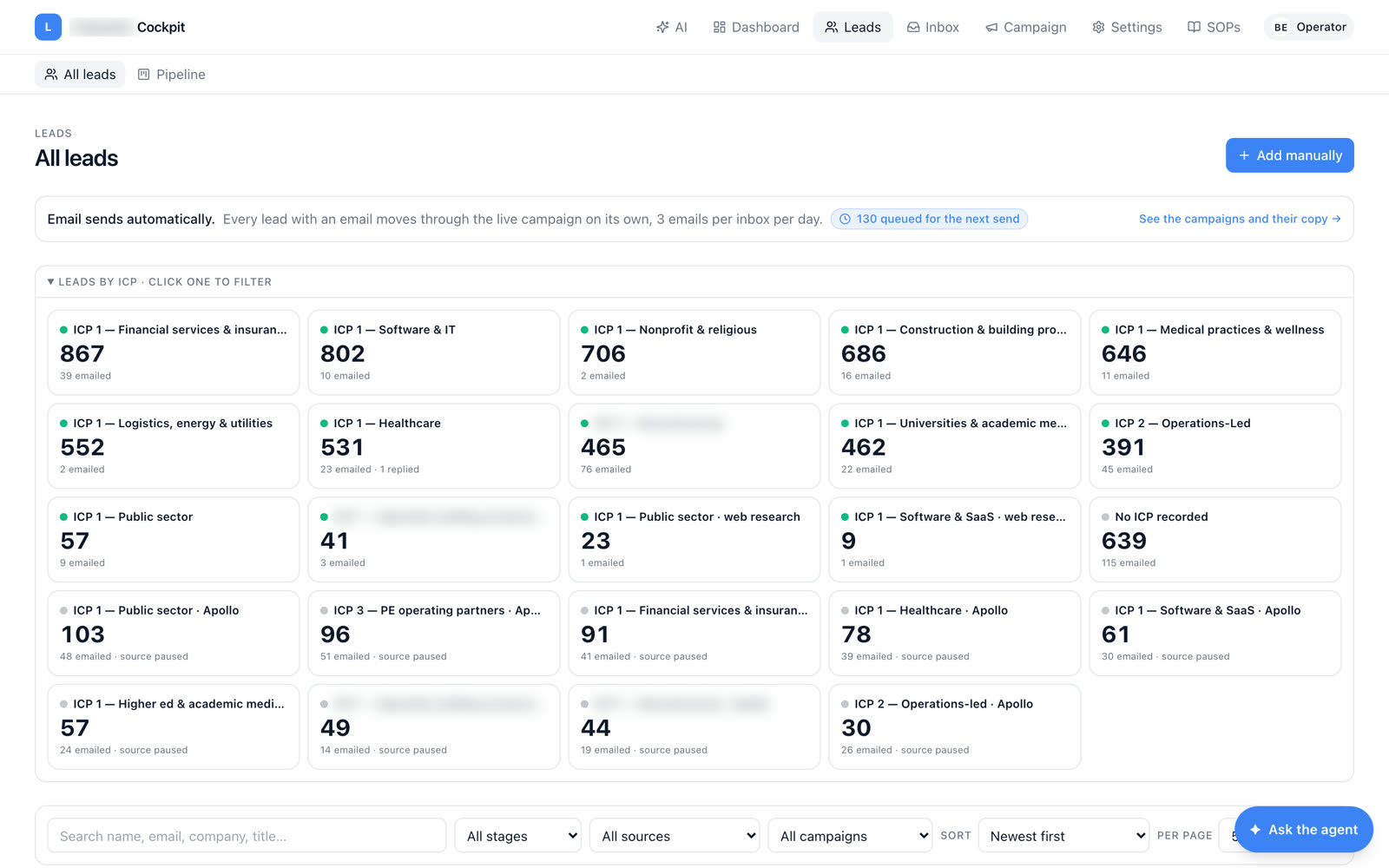
Every ICP is a tile with its lead count and how many have been emailed, and the search filters by stage, source and campaign. Sends happen automatically, so the operator's job is to look, not to push.
Was "how many do we have?" → now a tile per ICP, liveApprove in bulk.
Send now if you want.
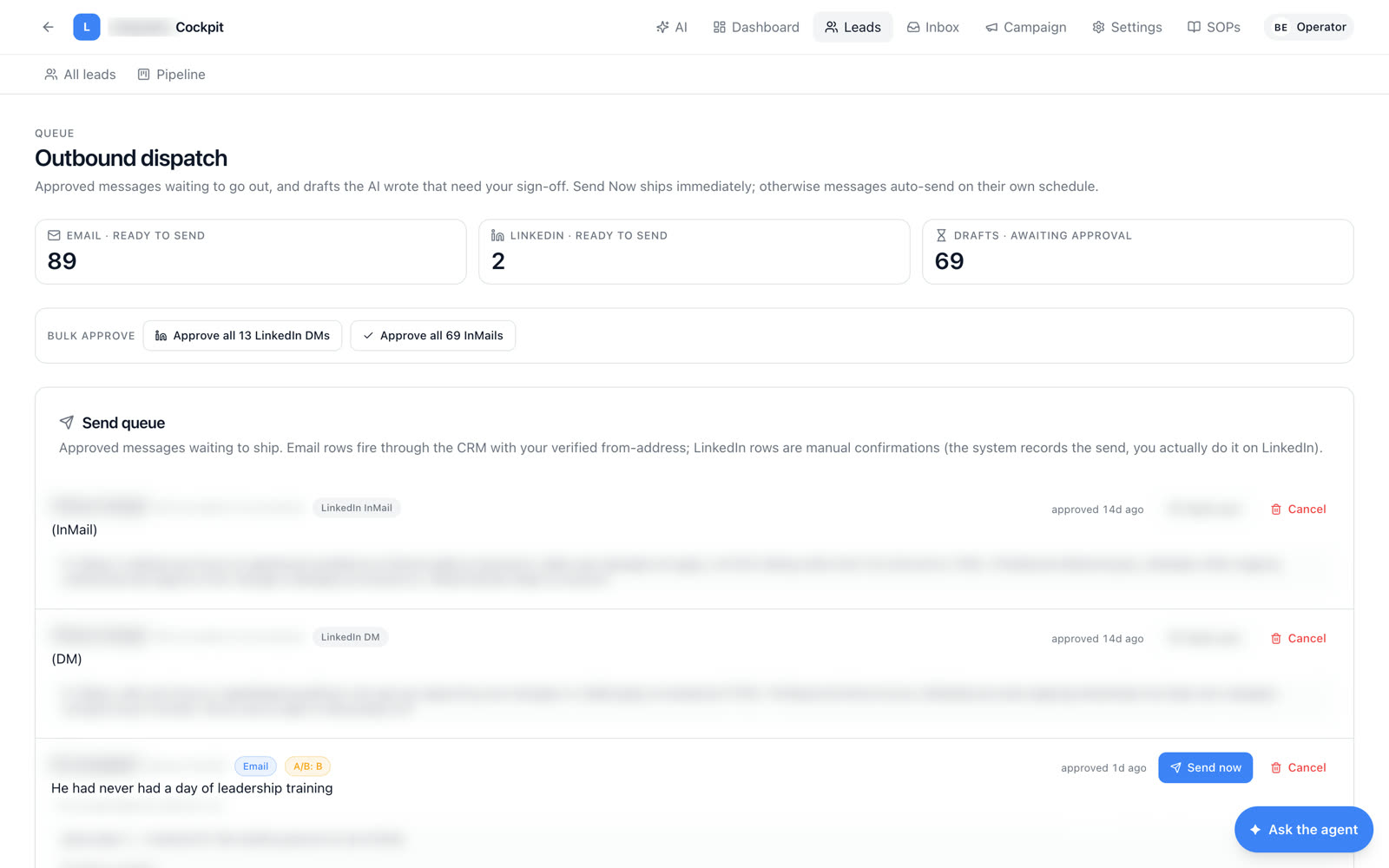
Emails ready to send, LinkedIn messages ready to send, and drafts the AI wrote that need a sign-off. Approve all thirteen DMs in one click, send one now, or cancel it. Email rows fire through the CRM from the operator's verified address; LinkedIn rows are confirmed by hand.
Was writing every message → now approving the AI's draftsFive emails,
spaced and counted.
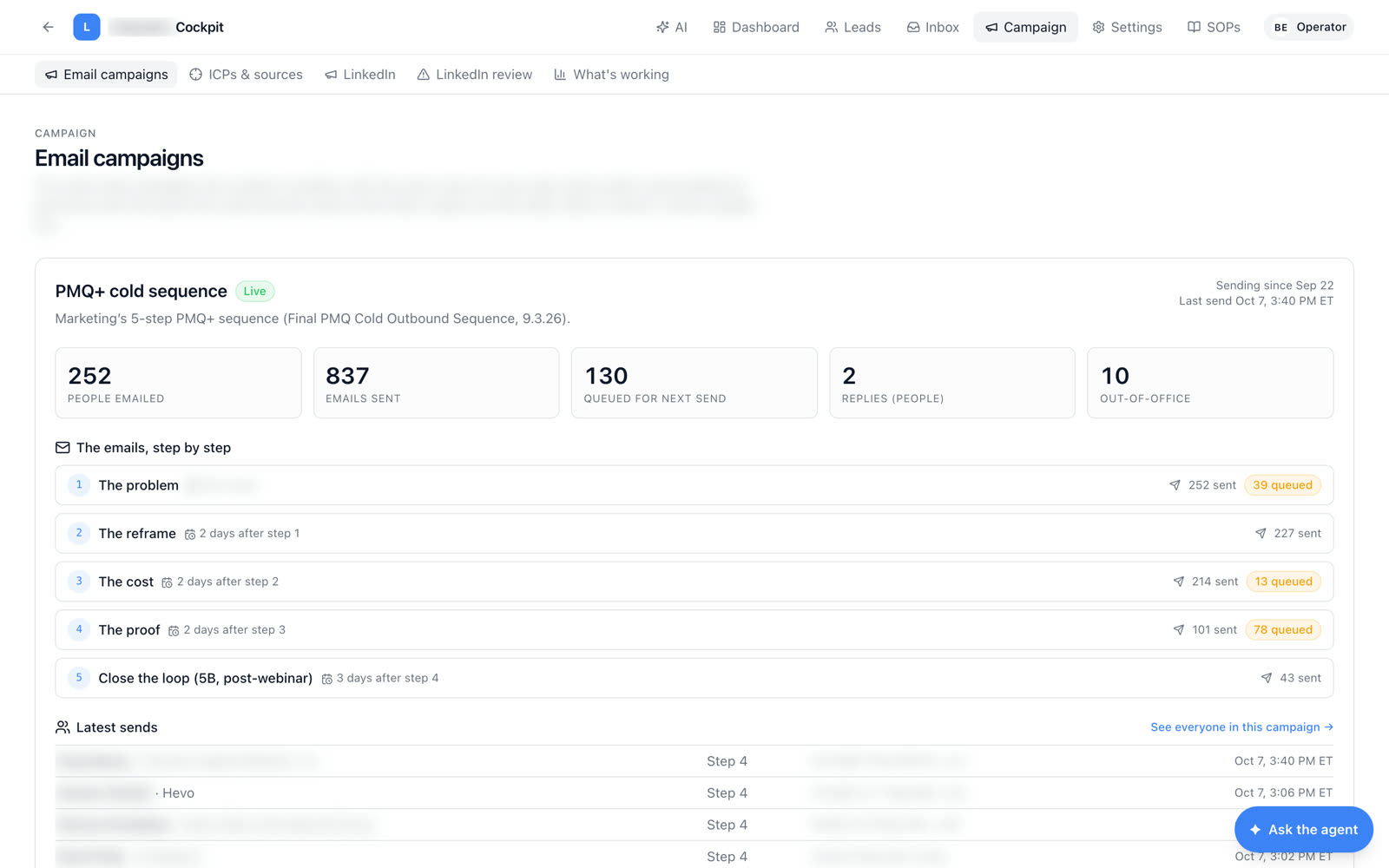
The problem, the reframe, the cost, the proof, close the loop — a five-step sequence with the spacing on each step, sent and queued counts per step, people emailed, replies and out-of-office, and the latest sends with their step.
Was a drip in a mail tool → now a sequence the loop runs and reportsThe leads that need
a human decision.
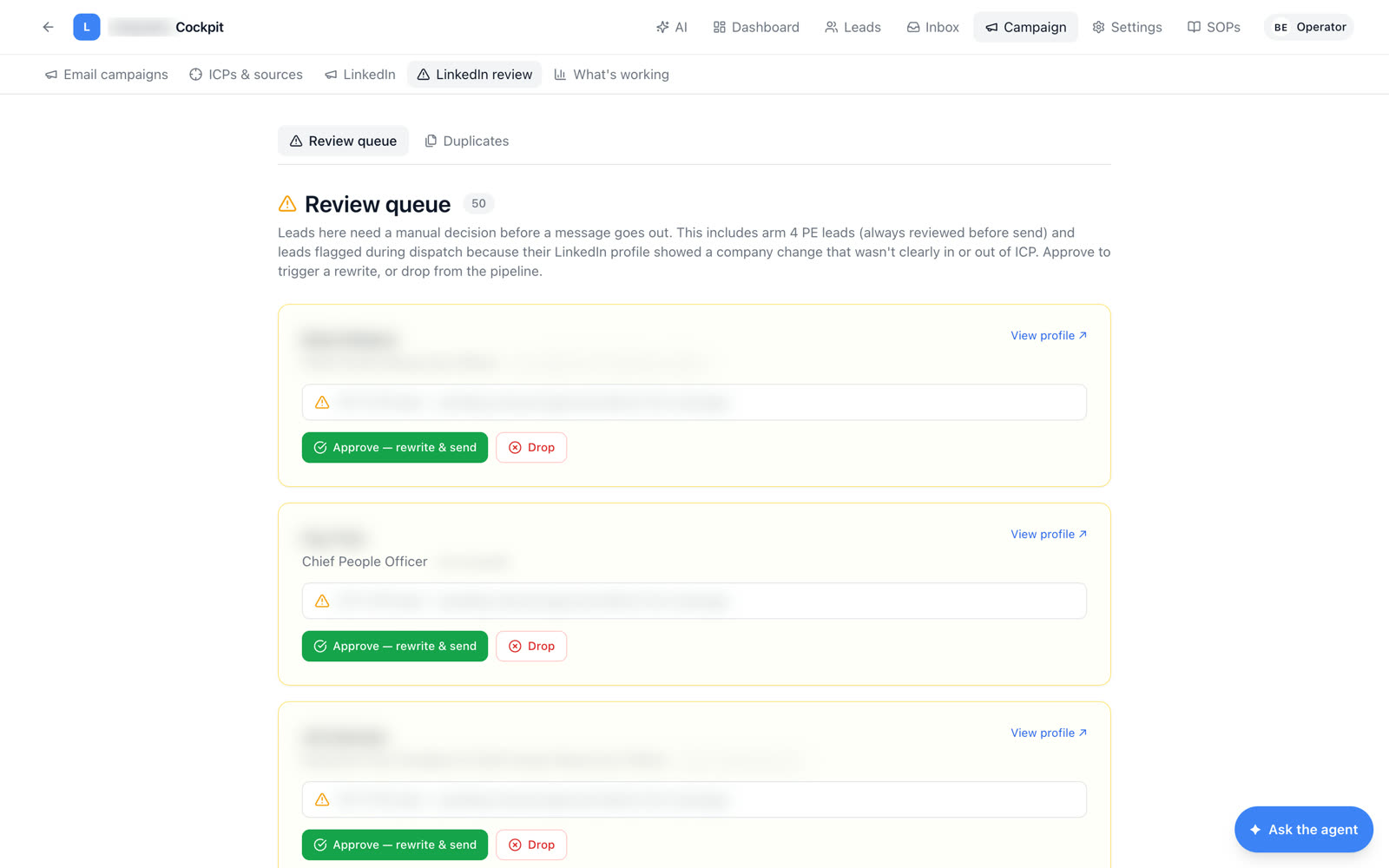
Private-equity leads are always reviewed before the first message, and anyone whose profile changed company lands here too. Approve to trigger a rewrite and send, or drop from the pipeline. Possible duplicates are grouped the same way: pick the canonical row, merge the rest.
Was a judgment call lost in a spreadsheet → now a review queueSame person twice?
Pick one, merge the rest.
Exact-email duplicates merge themselves on every loop tick. The fuzzier matches — same LinkedIn URL, name plus company — wait here for a one-click decision. Merged rows stay in the database for audit and leave every active view.
Was two emails to one person → now one canonical lead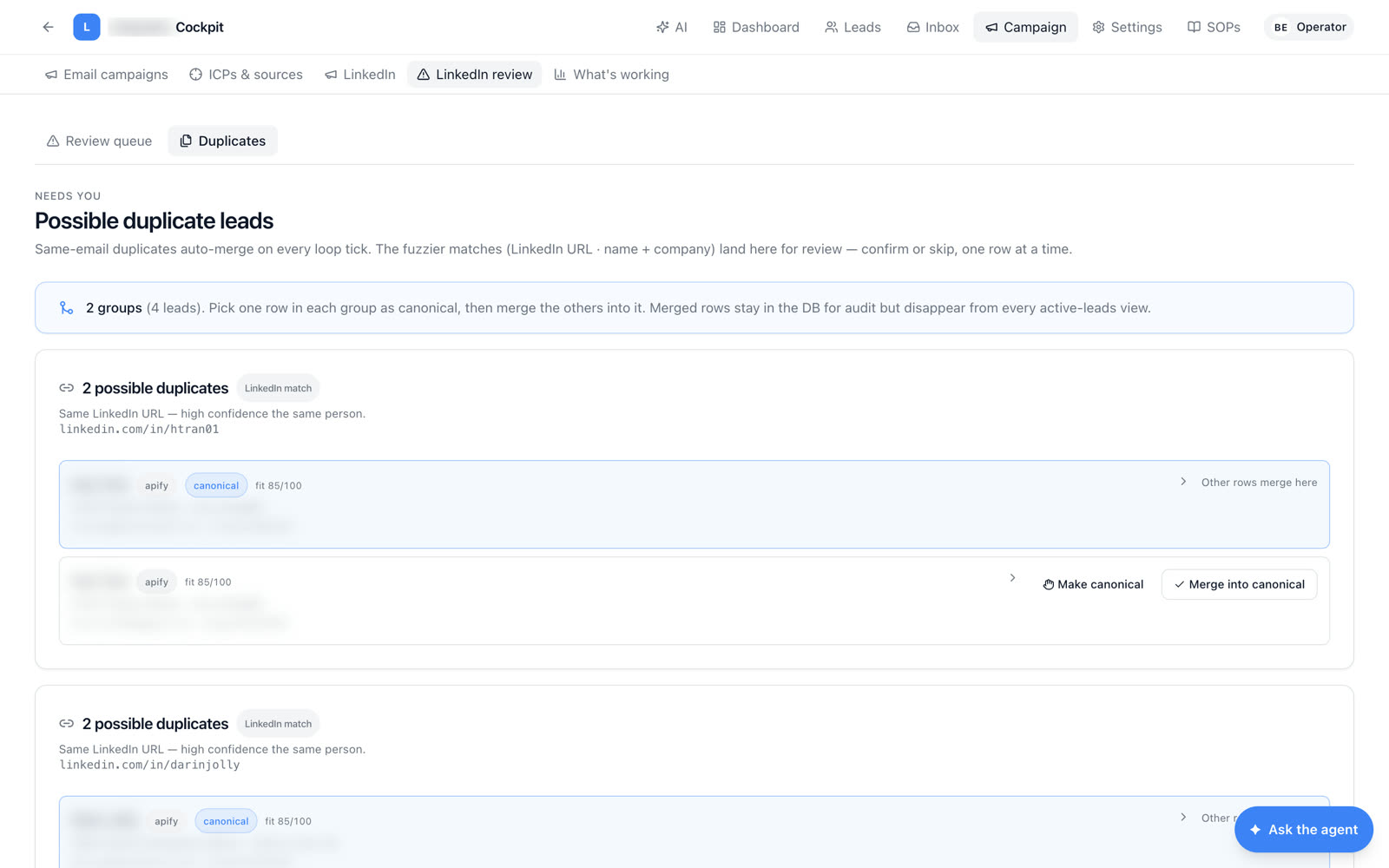
Every reply,
already sorted.
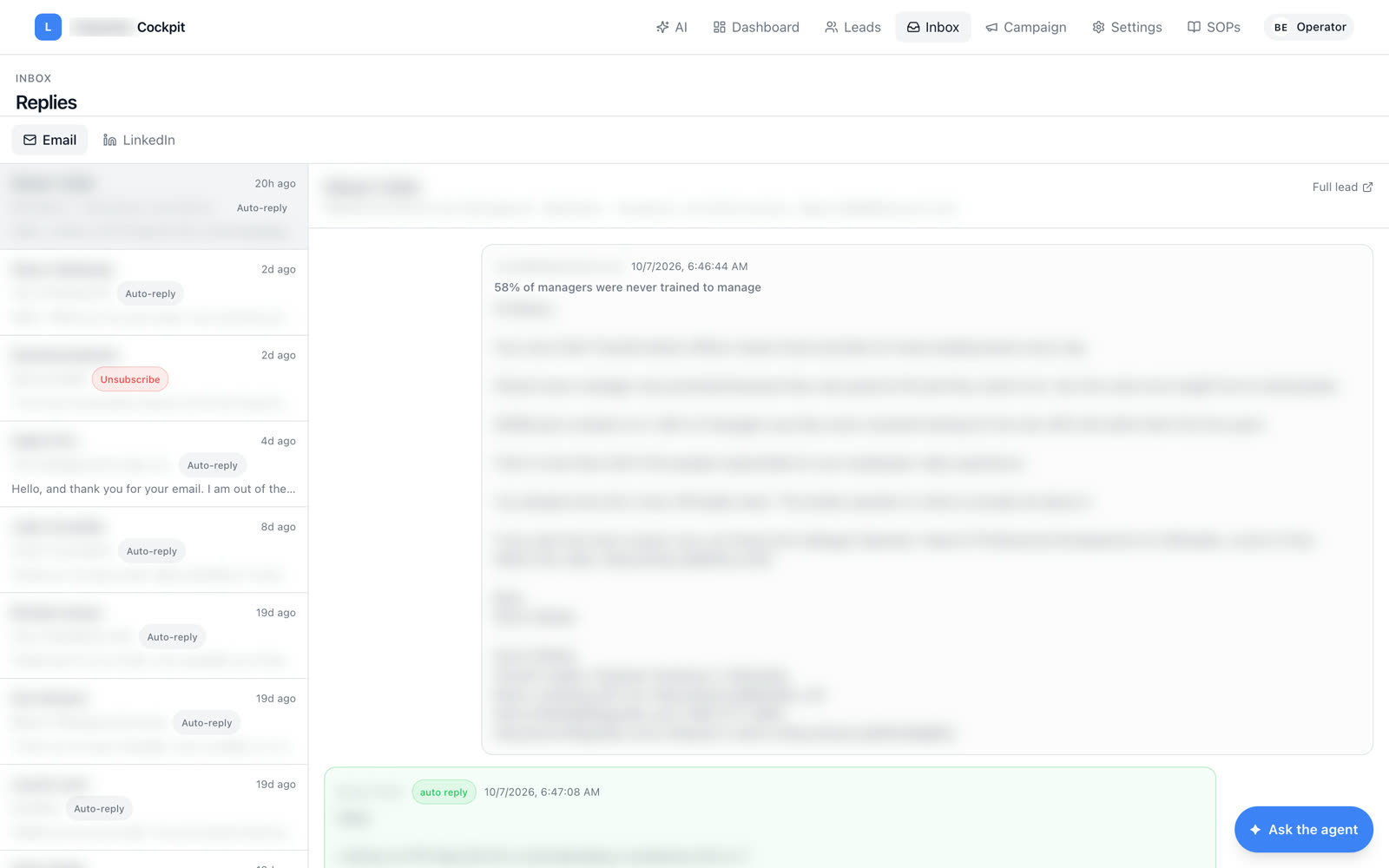
Replies from all 24 inboxes in one place, labeled auto-reply, unsubscribe or real, with the full lead one click away. The reply bot handles the clear positives; the operator reads what is left.
Was 24 inboxes to check → now one sorted listTell it what to do.
It uses the cockpit's own tools.
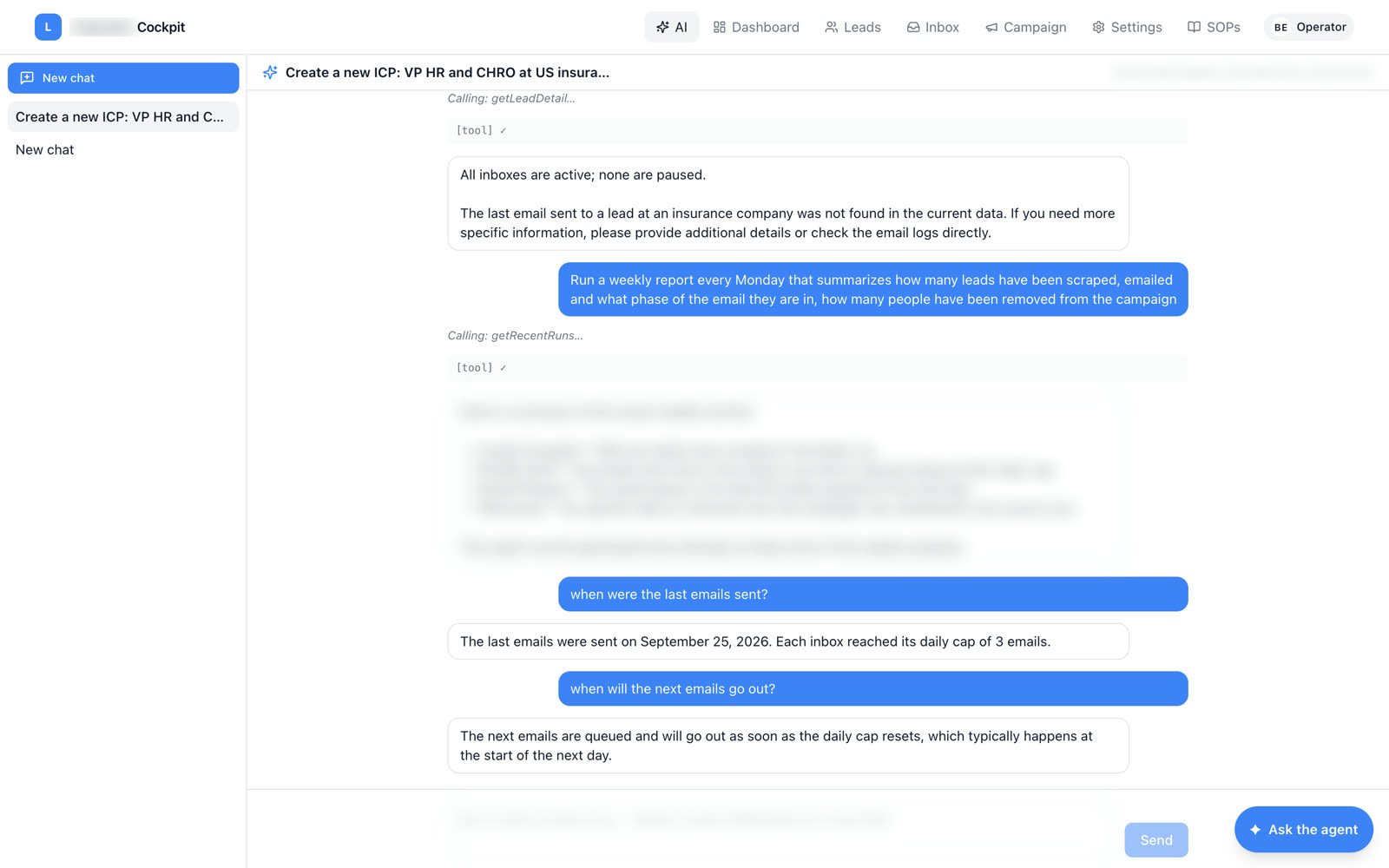
"When were the last emails sent?" "Run a weekly report every Monday." "Create a new ICP." The agent answers from the live data and acts through the same tools the operator has — anything that spends or sends asks for confirmation first.
Was clicking through five screens → now one sentenceNot a black box.
A control plane.
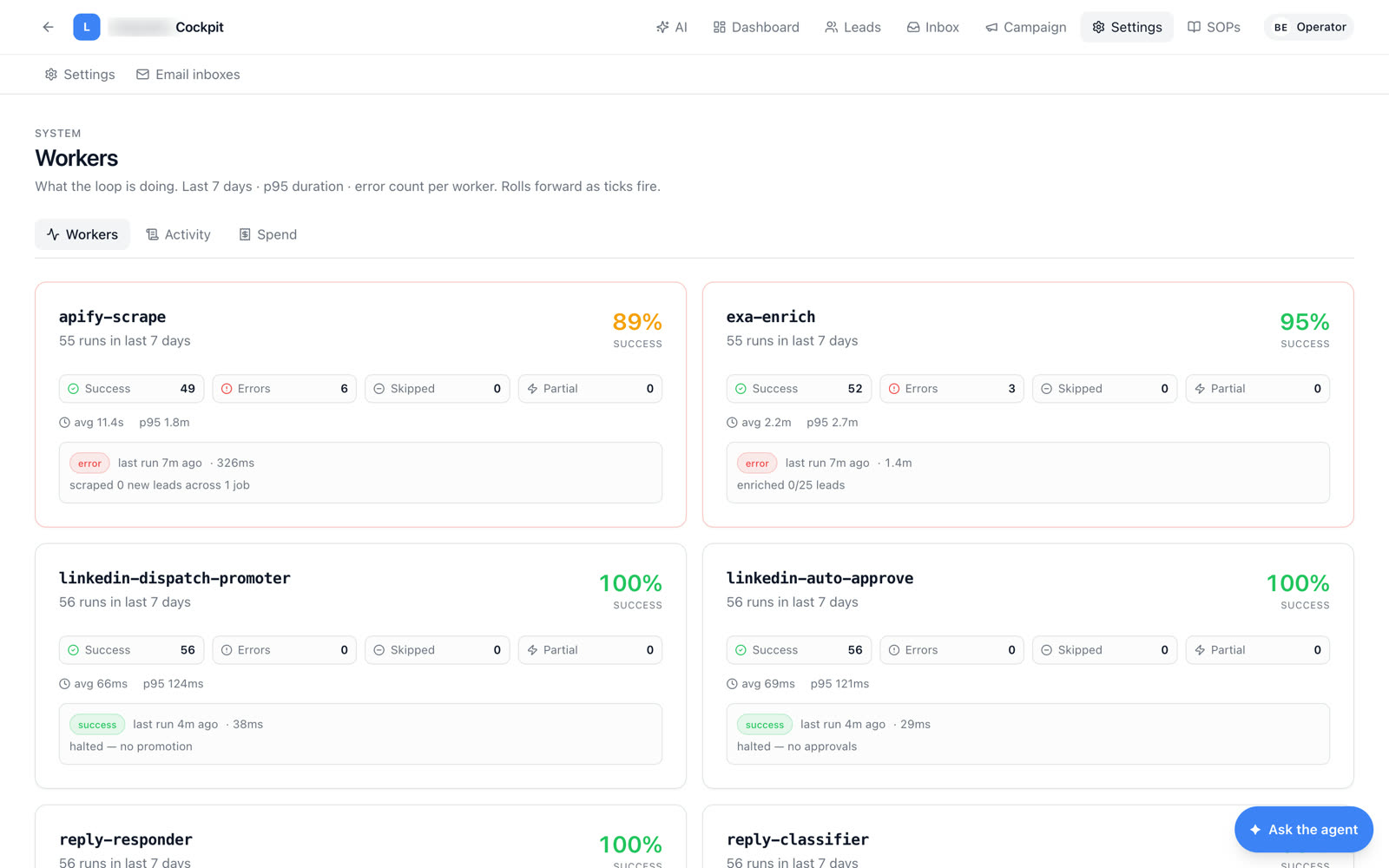
Every worker in the loop reports its runs, success rate, errors and p95 duration. Every meaningful write — a draft approved, a bulk send, an ICP paused — is logged with who did it. Every API call is priced, so a week of outbound is a number, not a guess.
Every API call,
to the cent.
Enrichment, model calls, CRM calls — by service and by call, with tokens and cost on every row. Unit economics live in the product.
Was an invoice surprise → now spend on screen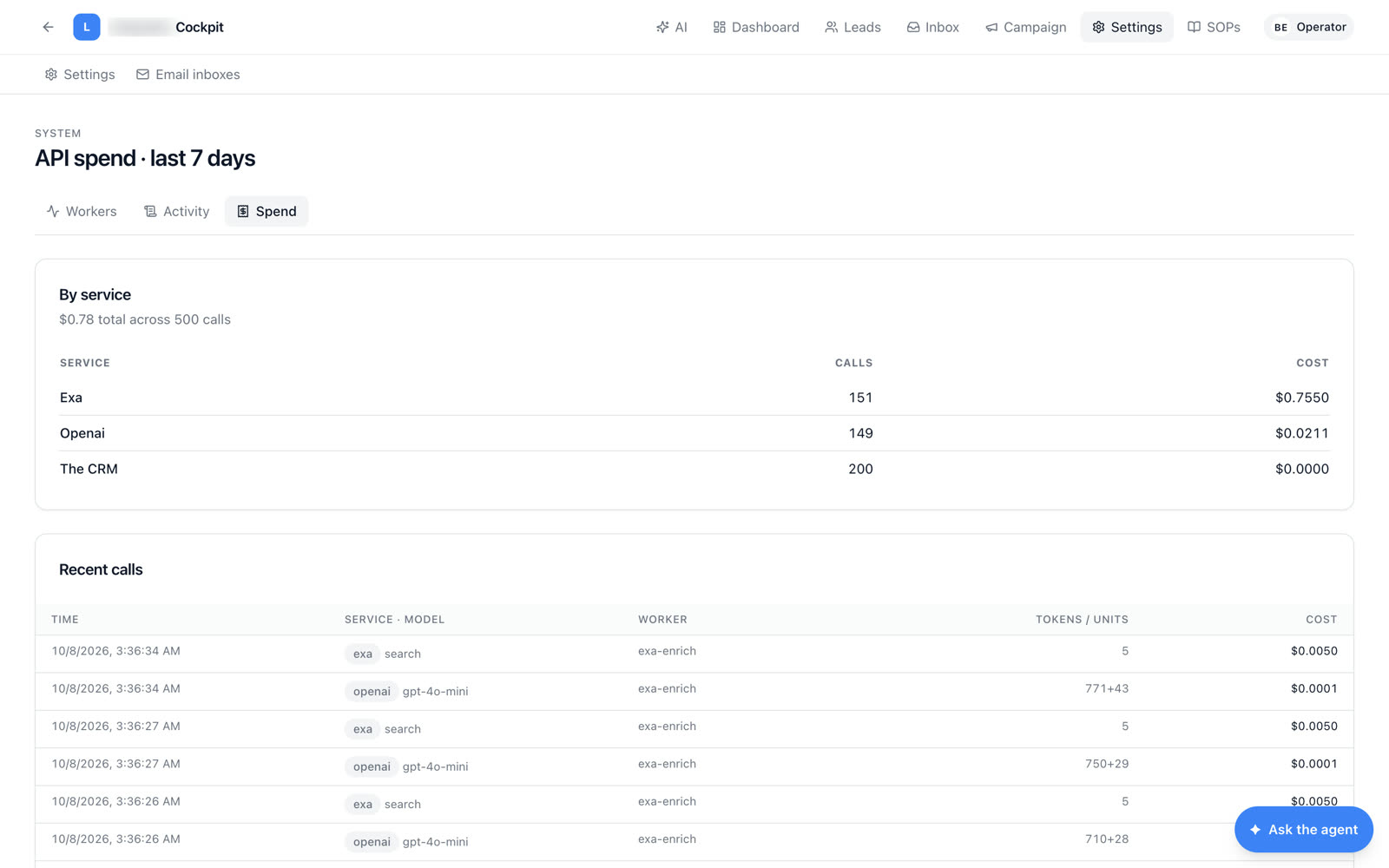
Twenty-four inboxes,
eight domains, warming.
The sending fleet is managed in the cockpit: which inboxes are connected, how many sends are available today, and reconnecting a mailbox when a provider drops it. Three sends per inbox per day keeps every domain healthy.
Was one burned domain → now a fleet, paced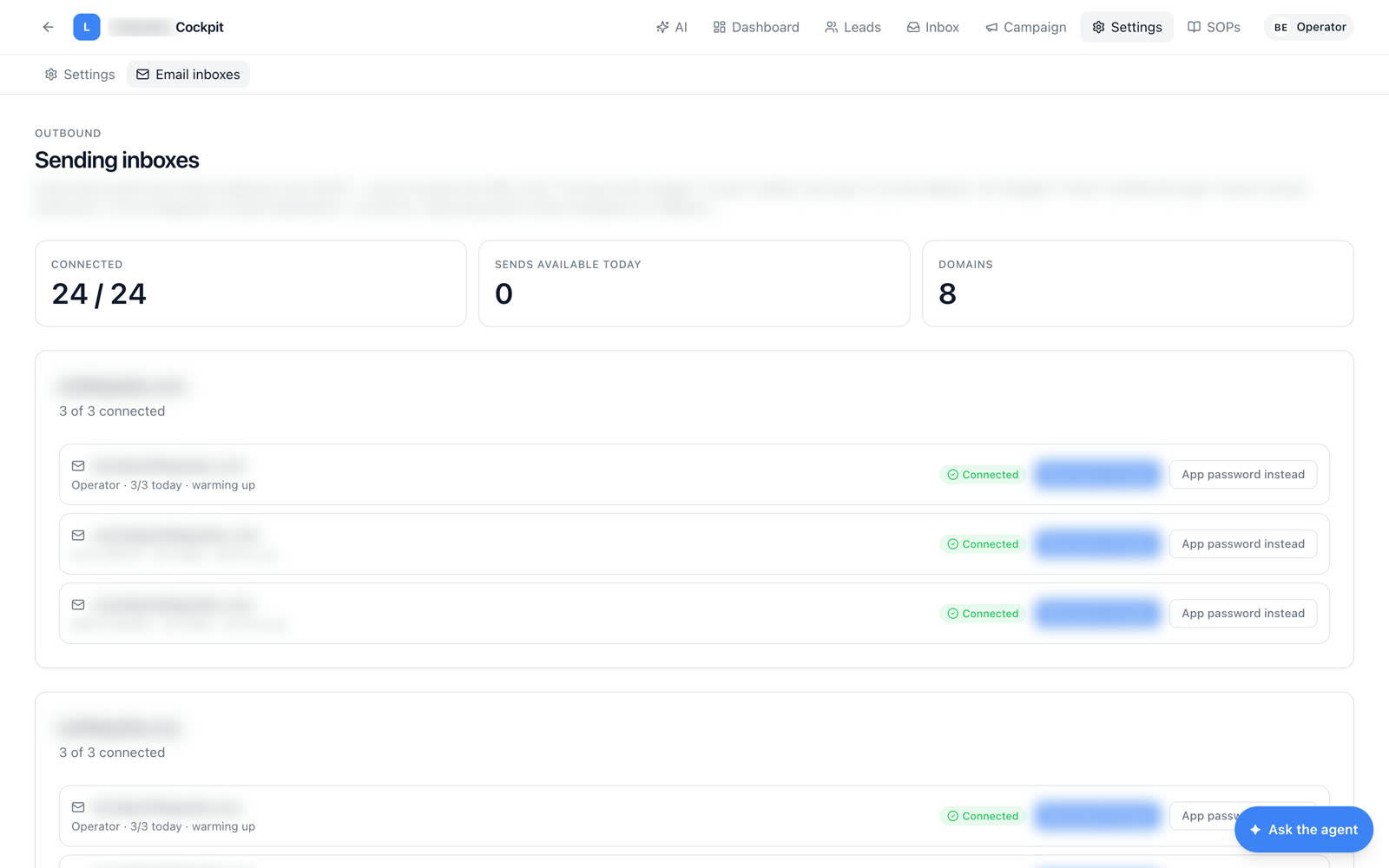
How to run it,
written in.
Screenshot-led guides and a narrated top-to-bottom walkthrough live inside the cockpit, so the next operator learns the loop from the product itself.
Was a handover call → now the guide is in the app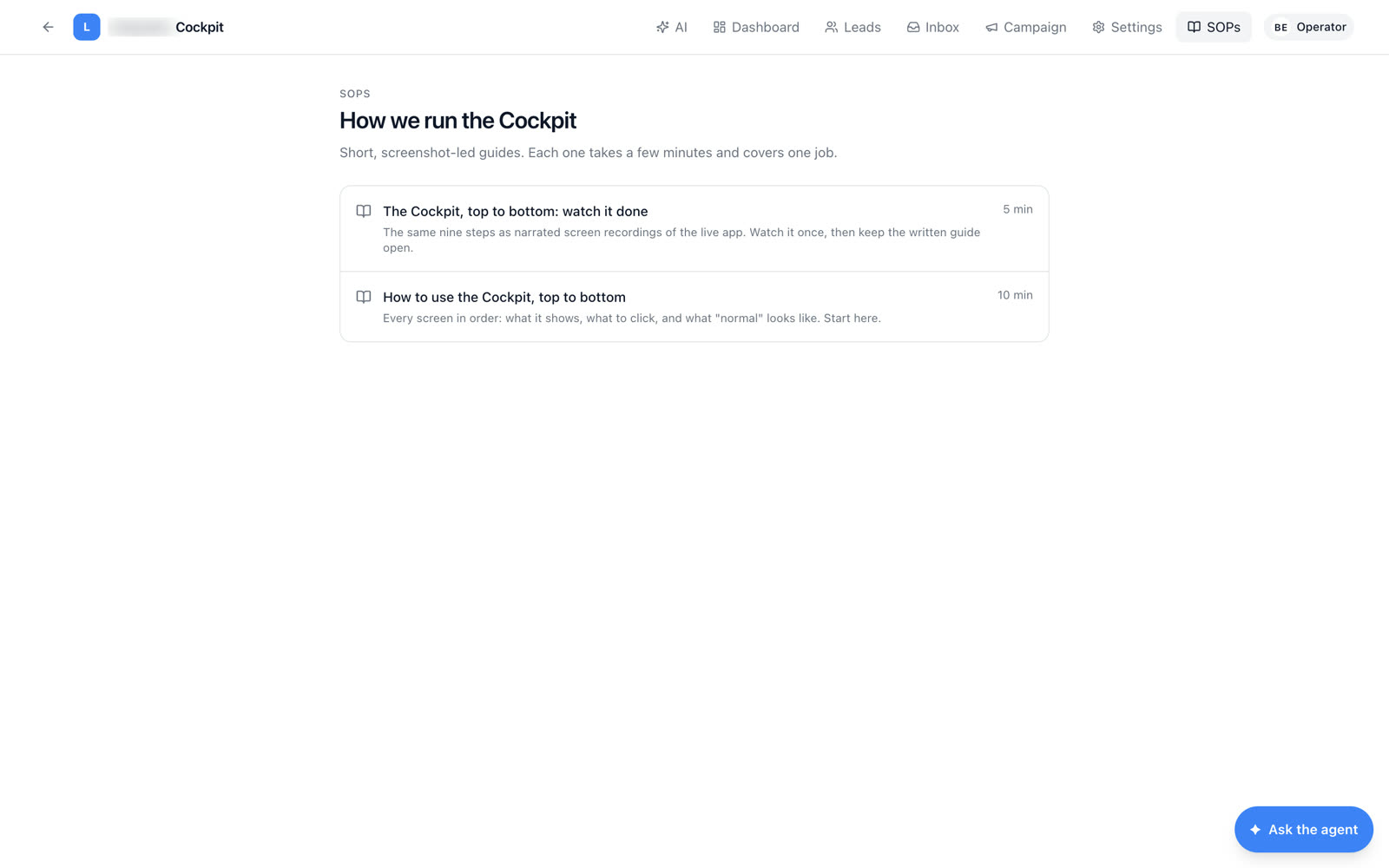
exactly one stage
3 sends a day each
loop runs
on screen
Your growth motion
runs on manual steps too.
Walk us through how a lead goes from a list to a booked call today. We'll show you which steps a loop should be running instead.
Book a Process Automation Audit Every screen above is the real product. Founder-engineered by ParaWav AI · Not a template. Not duct-tape.